
Point. Shoot. Done.
Photograph restaurant plates, home-cooked dishes, or packaged food. AI identifies components and returns calories plus macros for review.
Now on the App Store · AI calorie tracking for iPhone and Apple Watch
Krilo is an AI calorie and macro tracker for iPhone, iPad, and Apple Watch. Take a photo of any meal and Krilo identifies every component and calculates calories, protein, carbs, and fat — built for people who care about the numbers.
Free to download. Introductory free trial when eligible. Cancel anytime in App Store subscriptions.
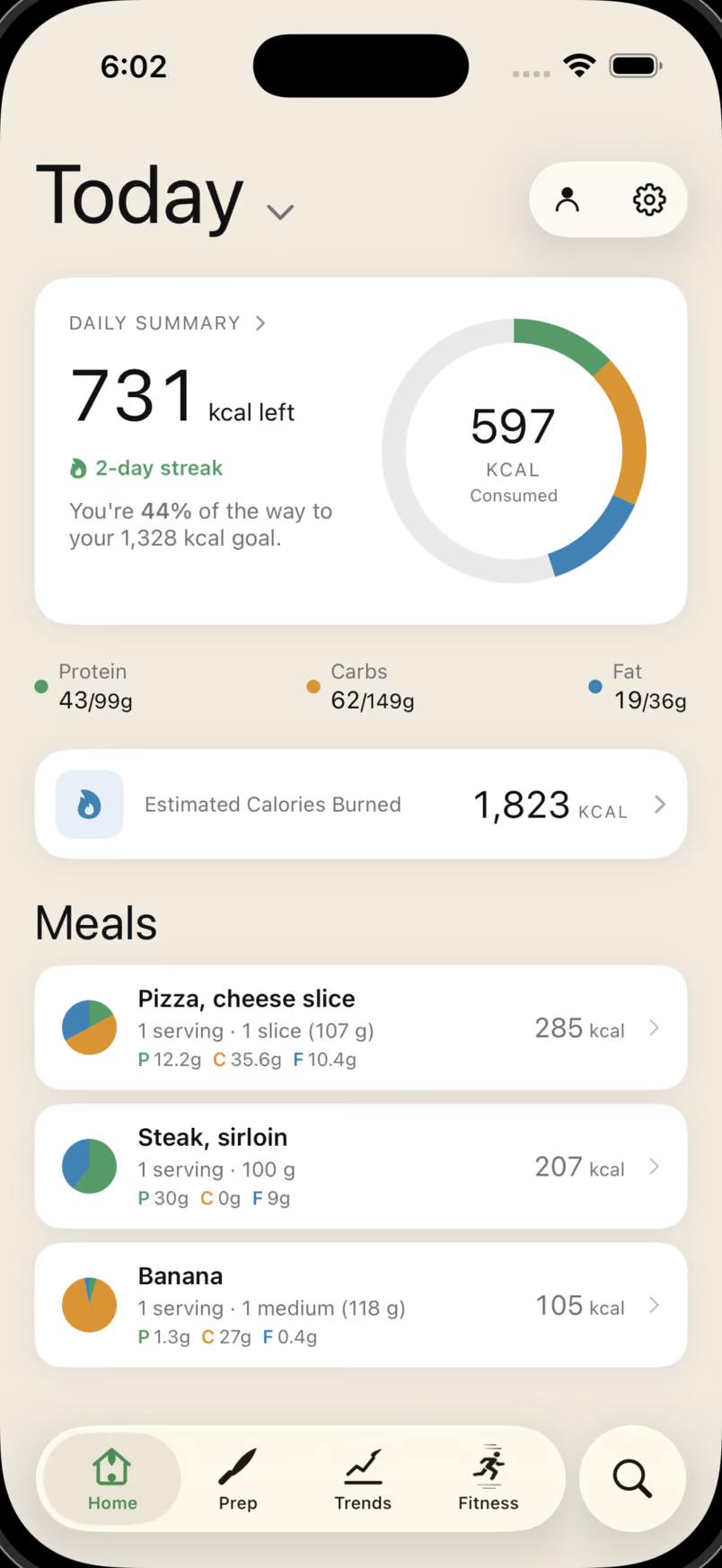
How it works
Manual entry, barcode scanning, favorites, and history work without waiting on AI. Photo and text analysis connect when you want the fastest estimate. Keep scrolling to watch each one.
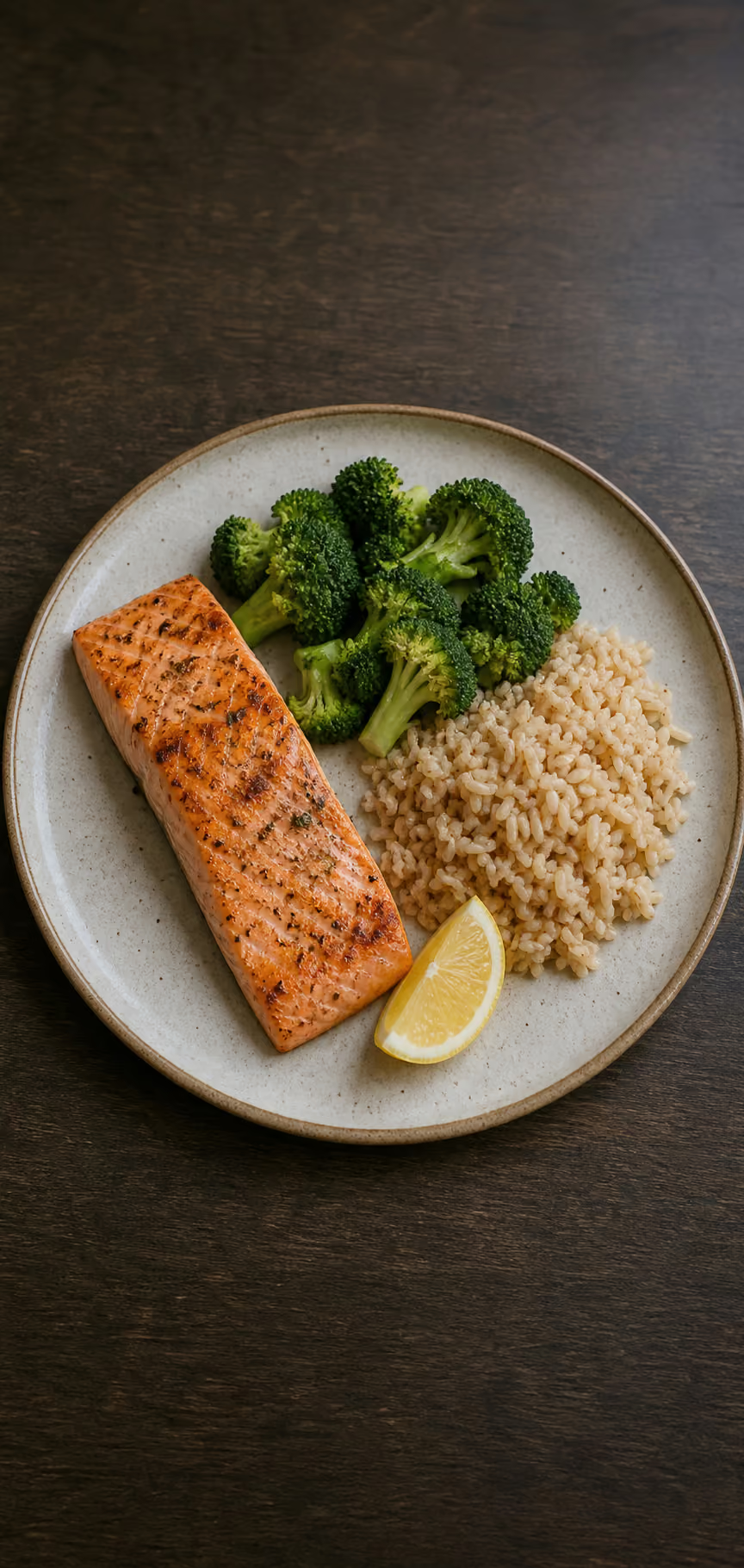

Photograph restaurant plates, home-cooked dishes, or packaged food. AI identifies components and returns calories plus macros for review.
Scan UPC, EAN, and other common barcode formats. Krilo looks up nutrition from Open Food Facts, a community database with millions of products.
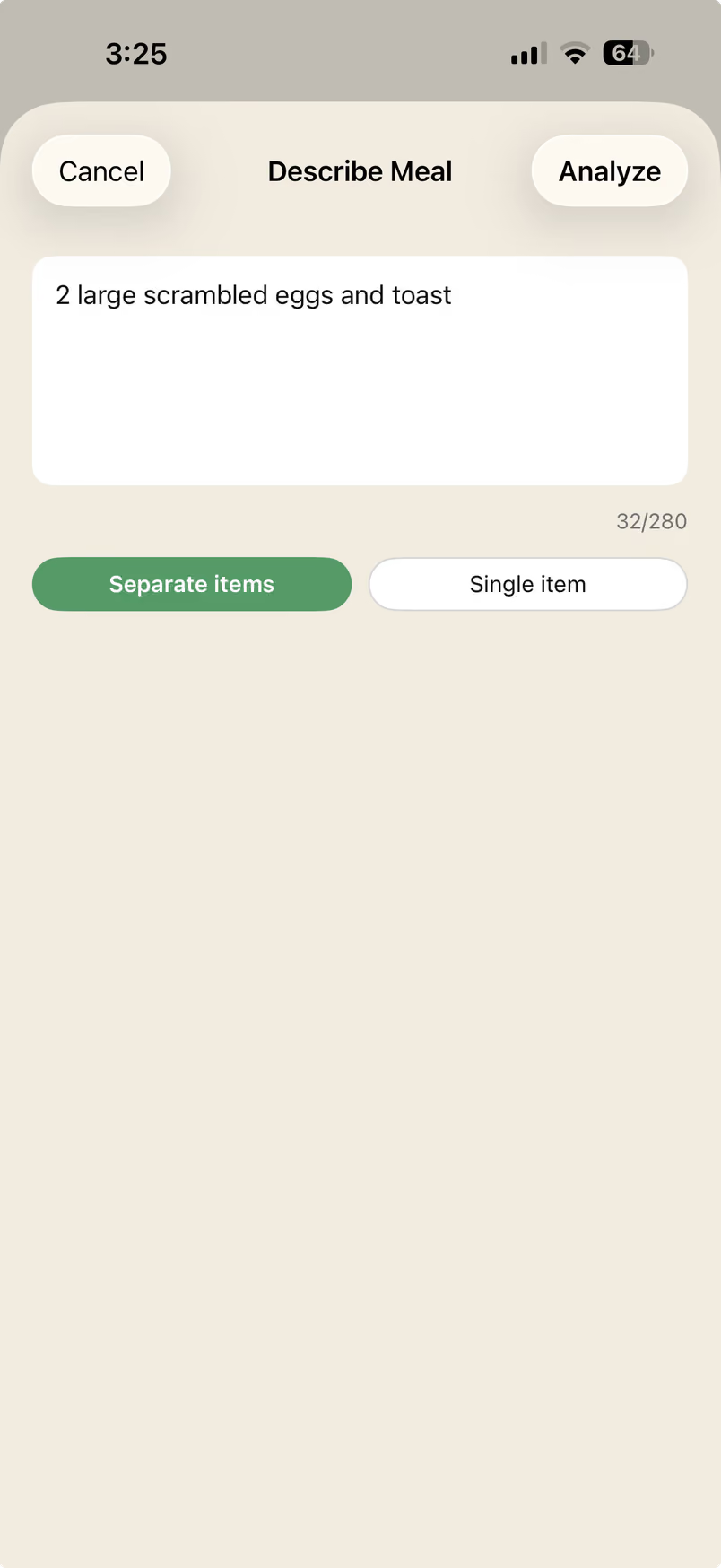
Describe a meal in plain words and Krilo parses it into a full nutrition entry, ready to review before it saves.
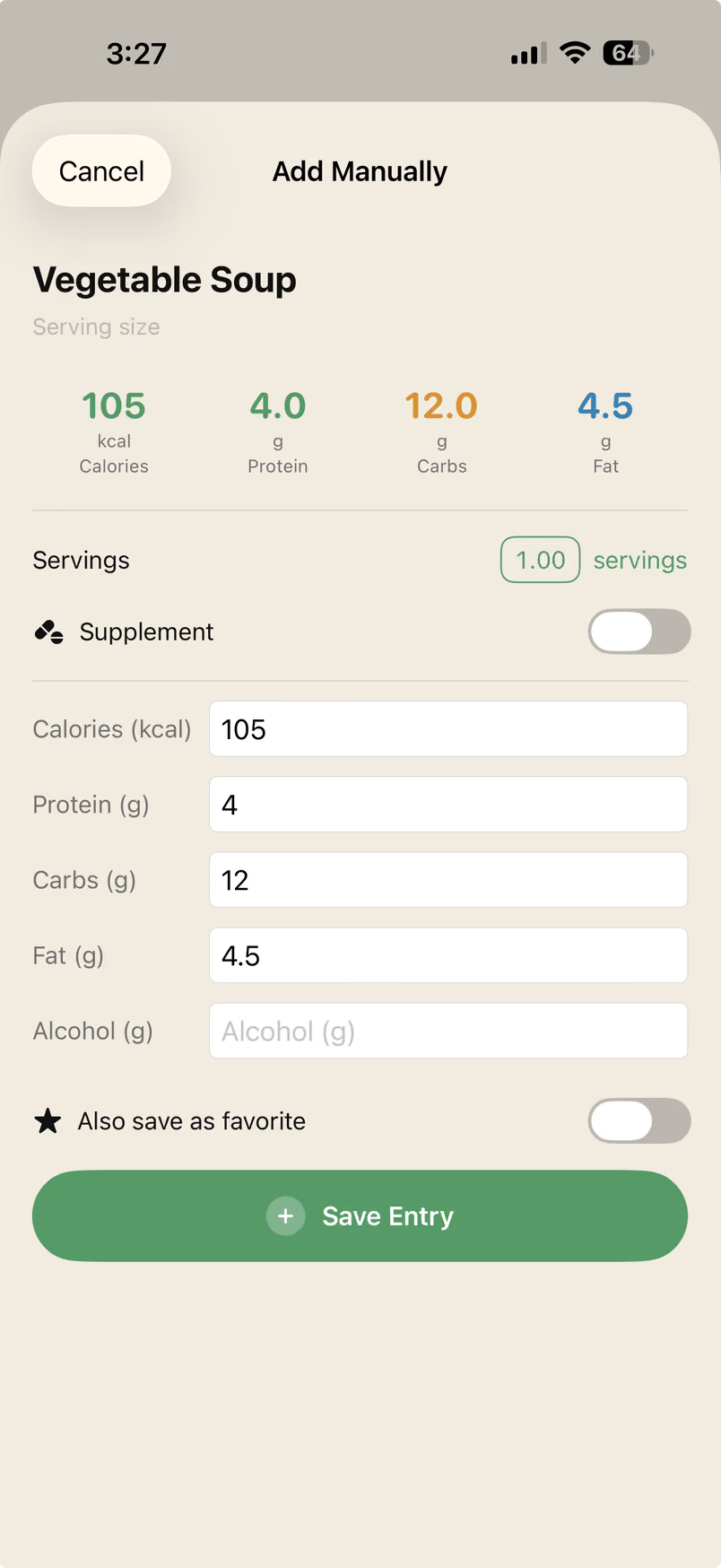
Enter calories, protein, carbs, fat, and serving details manually when you already know the exact label or recipe.
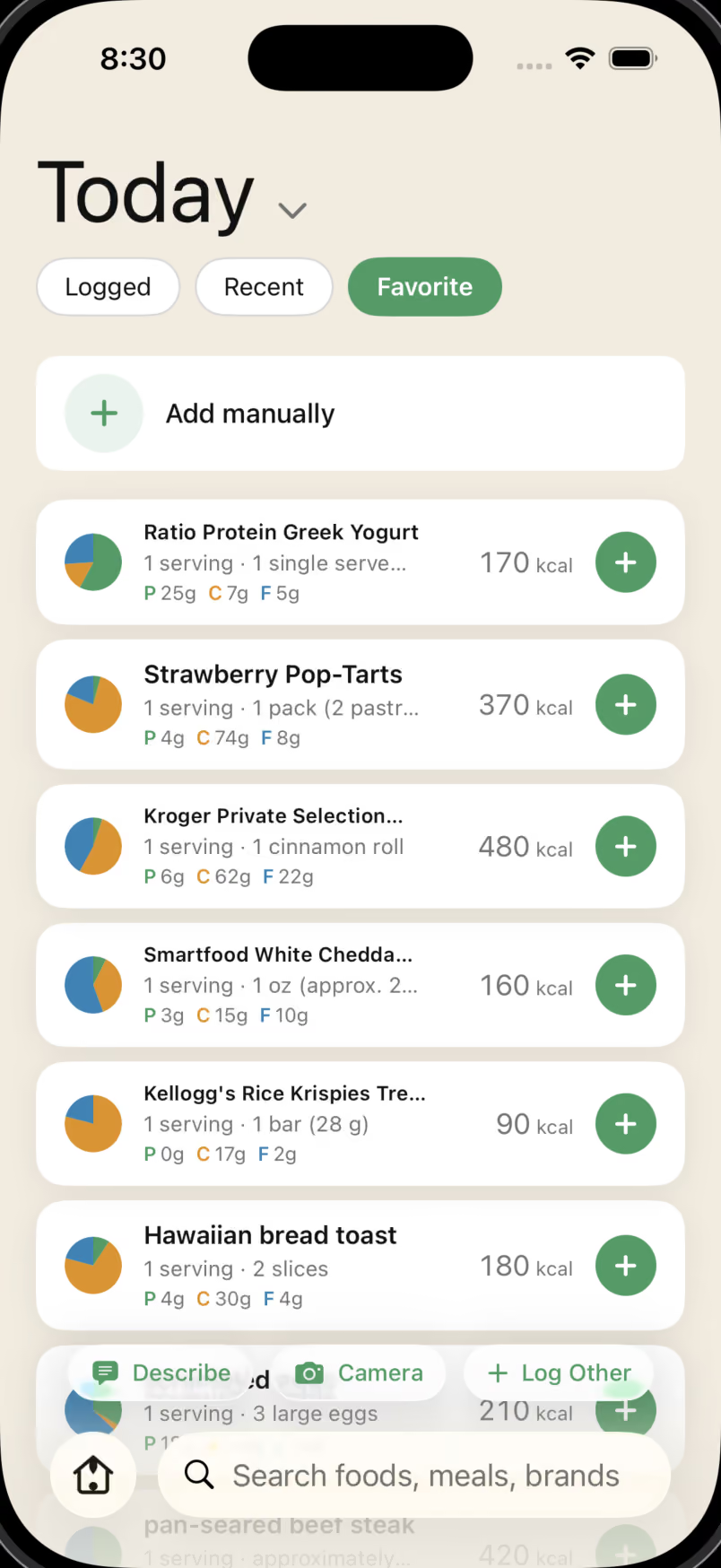
Save frequent foods as favorites and re-log them from iPhone or Apple Watch without rebuilding the entry.
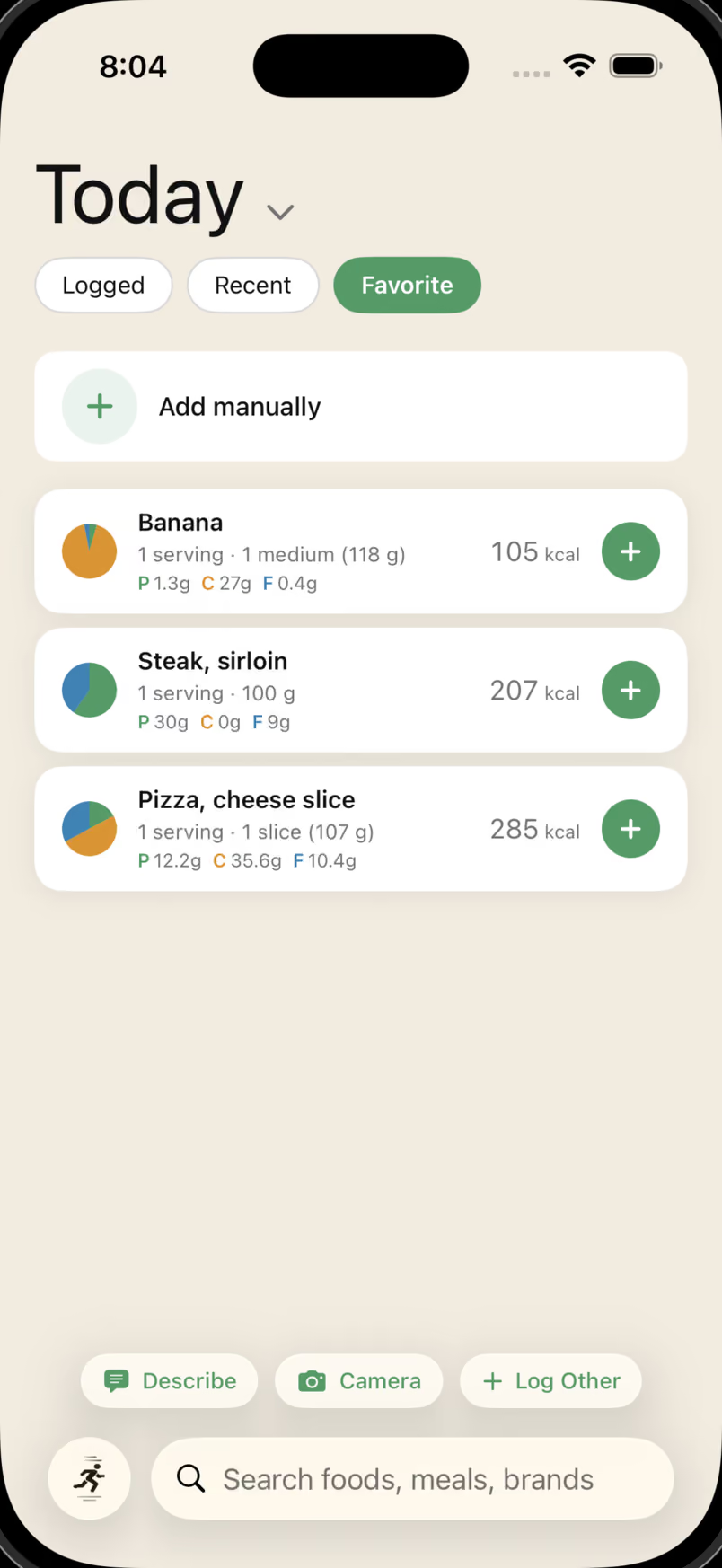
Every method lands in one clean log.
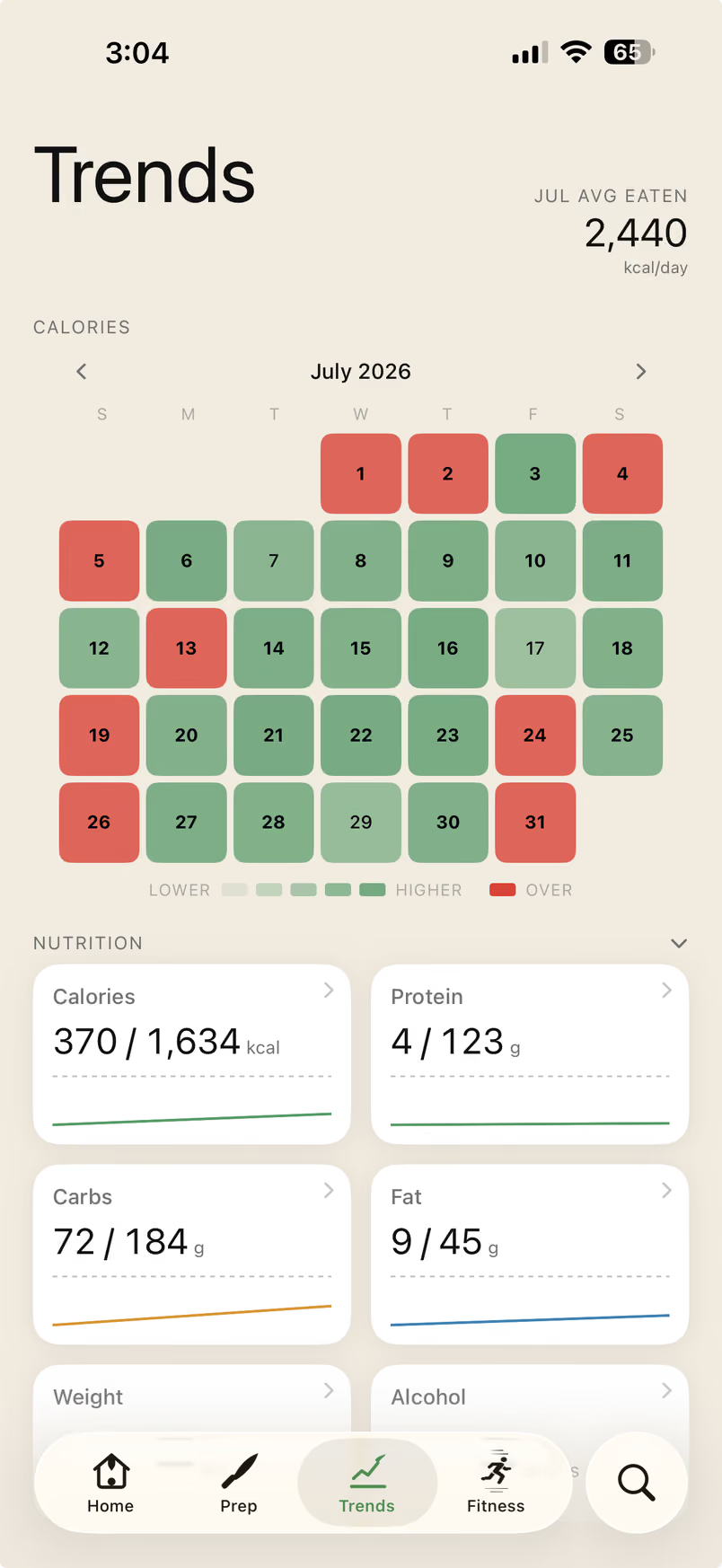
And every log builds your trends.
Plan ahead
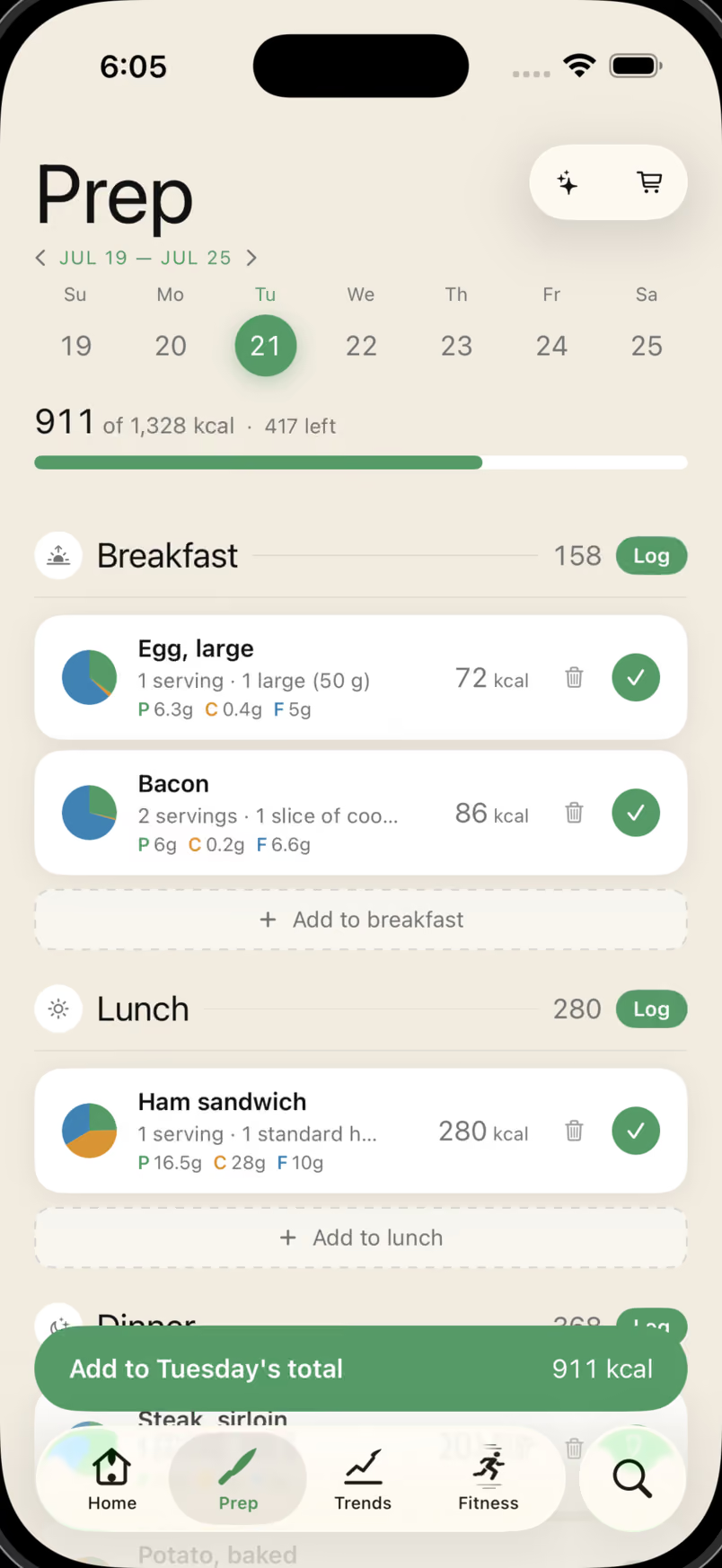
Prep turns meal planning into the same calorie and macro system you use for logging.
greek yogurt, protein
128 results
Protein Greek Yogurt, Vanilla
Daily planning · Free
Plan breakfast, lunch, dinner, and snacks for any day of the week — then log a planned meal straight from the Prep view when it’s time to eat.
AI meal plans
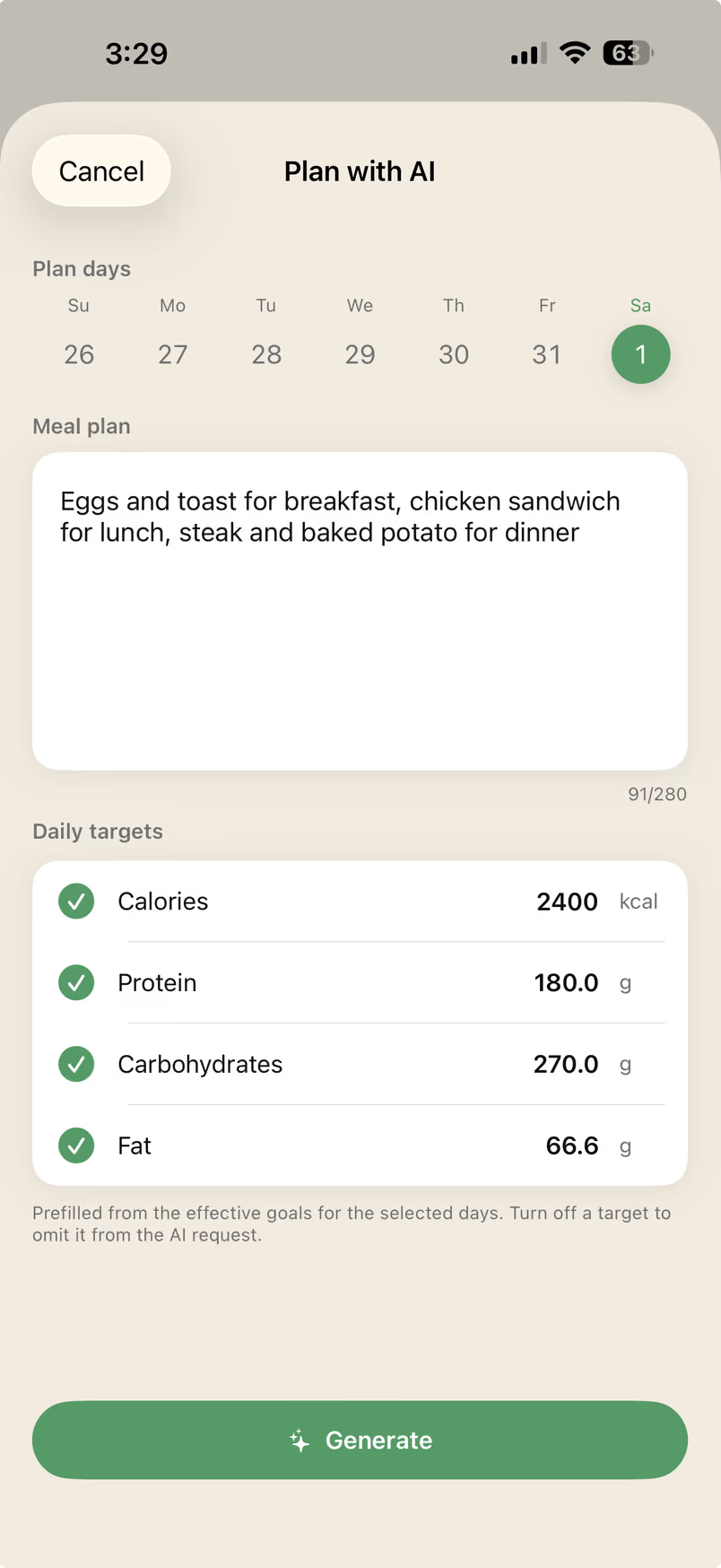
Generate a day or a full week of meals aimed at your calorie and macro targets, then review before anything touches your log.
AI shopping lists
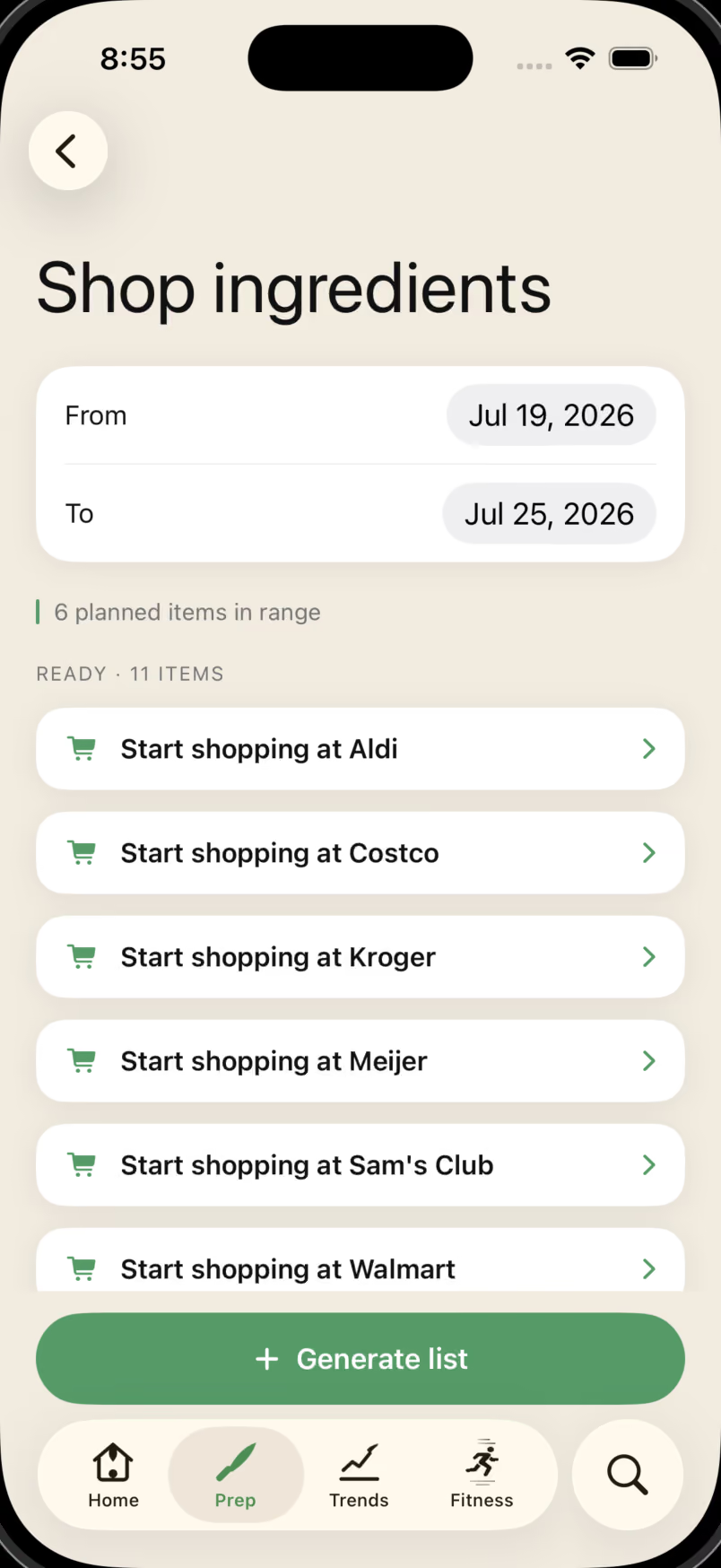
Decompose planned meals into grocery ingredients and get retailer search links for Aldi, Costco, Kroger, Meijer, Sam’s Club, Walmart, and more.
Retailer search links
Open a retailer search link in the built-in browser, then check off ingredients in your Krilo shopping list as you go.
Accuracy and transparency
AI food recognition is useful and imperfect. Krilo treats every estimate as a draft you review before it becomes part of your log.
Your meal photo is compressed and sent securely to Krilo's servers for analysis.
The model identifies foods, estimates portions, and returns calories, protein, carbs, and fat in a structured response.
Nothing is logged until you approve it. Edit any line item, start over, or switch to manual entry.
Manual entry
Most precise
Best when labels, recipes, or weighed portions are available
Barcode scan
Label-based
Fast packaged-food logging with serving-size review
Photo estimate
Reviewed estimate
AI on simple, well-lit meals, confirmed by you before saving
Photo estimates are a starting point, not a final answer. Mixed bowls, restaurant dishes, hidden ingredients, and obscured foods carry higher uncertainty. Manual entries and barcode scans still require user review for serving size and label accuracy.
Apple Watch companion
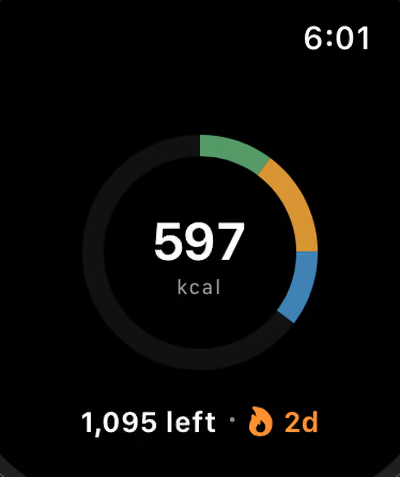
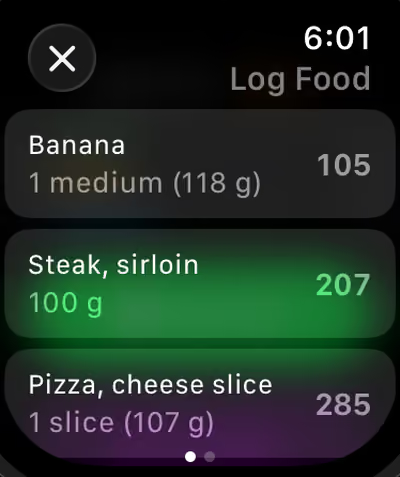
Log favorites, check calories remaining, review today's entries, and jump in from a complication. Watch changes sync through the paired iPhone and queue while it is unavailable.
Apple Health
Krilo can read selected Apple Health data so your calorie budget and trend insights respond to your activity, sleep, and recovery.
Eaten
1,640
Burned
520
Net
1,120
Apple Health access is optional and read-only. Health samples stay on your device. Recovery, Sleep, and Strain are informational estimates—not medical advice.
Pricing
An introductory free trial is available when eligible. Premium includes photo and text meal analysis, goal-based meal plans, and ingredient decomposition with retailer search links, subject to 30 daily and 300 monthly AI credits.
Monthly
$4.99/mo
Monthly auto-renewable subscription
Subscriptions renew automatically and are managed by Apple.
Annual
$49.99/yr
Billed yearly — about $4.17/mo
Subscriptions renew automatically and are managed by Apple.
Swipe to compare plans
| Feature | Free | Premium |
|---|---|---|
| Manual food entry | ✓ | ✓ |
| Barcode scanner with Open Food Facts | ✓ | ✓ |
| Quick-log from history and favorites | ✓ | ✓ |
| Meal planning (Prep) | ✓ | ✓ |
| Apple Health trends and calorie sync | ✓ | ✓ |
| Unlimited local log history | ✓ | ✓ |
| TDEE/BMR goal calculator | ✓ | ✓ |
| Sign in with Apple and cloud sync | ✓ | ✓ |
| AI photo food recognition | - | ✓ |
| AI meal-plan generation | - | ✓ |
| AI shopping list with retailer search links | - | ✓ |
| Apple Watch app and complications | ✓ | ✓ |
FAQ and support
Logging, Prep, Apple Health, subscriptions, and privacy.
On simple, well-lit meals, AI-based photo analysis is typically a useful starting point, but complex mixed dishes and obscured foods increase uncertainty. Krilo shows every estimate before saving so you can edit or reject it.
Nothing is logged until you confirm. You can edit line items, adjust serving sizes, retake the photo, or switch to manual entry.
Yes. Prep lets you plan breakfast, lunch, dinner, and snacks for any day while calories and macros update as you build the plan. Premium can generate meal plans toward your goals and turn planned meals into a shopping list with retailer search links, plus text or note export.
No. AI-generated plans are reviewable first, and planned meals only move into your real log when you commit them.
Manual entry, saved foods, local history, and many Watch interactions work without a connection. Watch changes queue for the paired iPhone. AI photo/text analysis, meal plans, and shopping-list decomposition require an internet connection.
Krilo scans the product code and looks up nutrition through Open Food Facts. If an item is missing or inaccurate, you can enter the nutrition manually.
Krilo can read selected Apple Health activity, sleep, heart, respiratory, temperature, and body metrics on device for calorie adjustments, Trends, Recovery, Sleep, and Strain. Samples stay on device. Access is optional, read-only in Krilo, and revocable in iOS Settings.
No. Krilo does not sell or license your personal data, food data, or health data. Krilo shares only what is needed to provide the features you request through the service providers described in the Privacy Policy and Consumer Health Data Privacy Policy.
Open iPhone Settings, tap your Apple ID, choose Subscriptions, select Krilo, and cancel. Access continues until the current paid period ends.
Krilo supports iPhone and iPad, with a companion Apple Watch app. Watch changes sync through the paired iPhone and queue while it is unavailable.
Email support@krilohealth.com.
Krilo
AI photo recognition, text meal parsing, Apple Health trends, and Apple Watch logging are all in the app today.